A New Client Portal Experience — Launching Soon (Meet Byte)
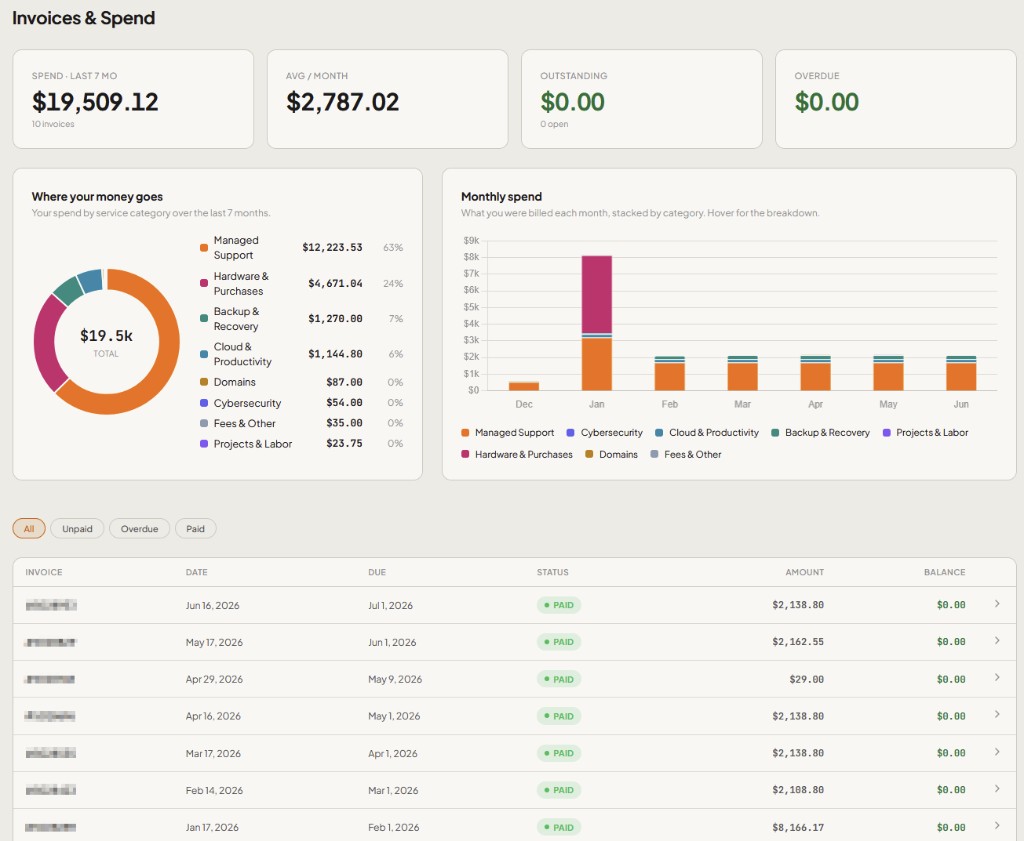
We're building a brand-new client portal from the ground up — more accurate information, faster answers, and a smoother day-to-day workflow for your team.
Launch is approaching. Here's what to expect.
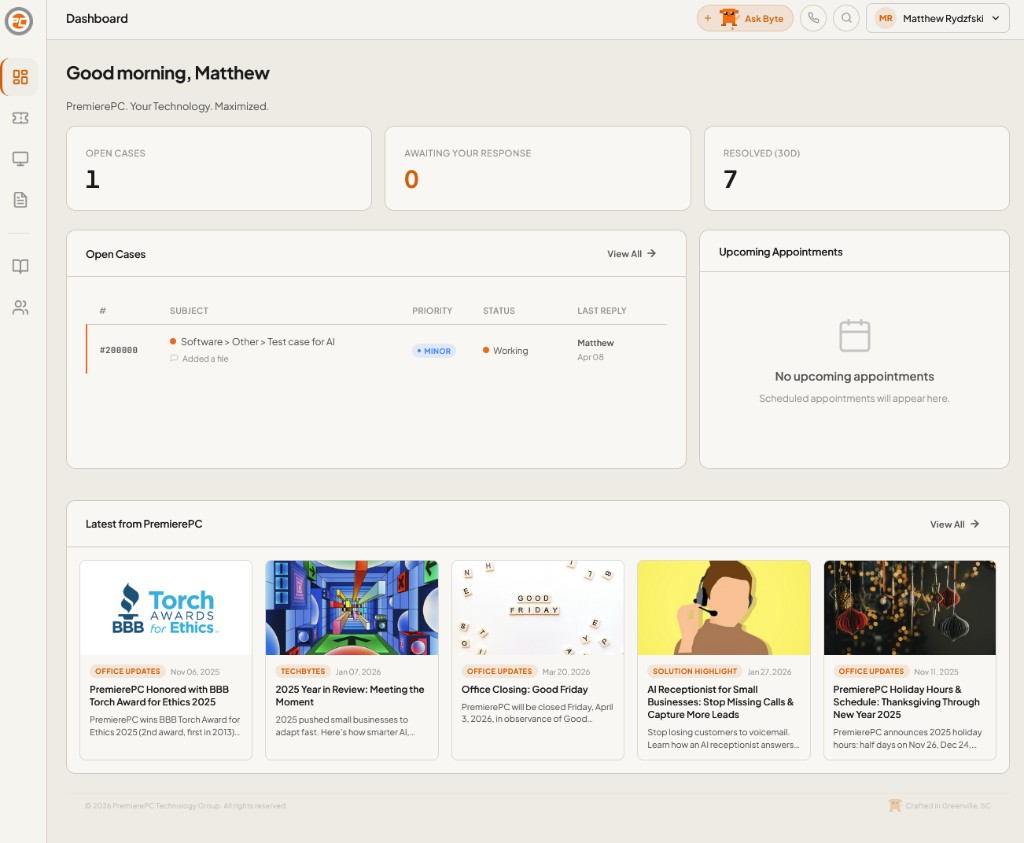
At launch
- Full parity with the portal you use today — nothing goes away
- A dashboard that puts the important stuff up front — open cases, items waiting on you, and resolved counts at a glance
- Easier case creation, with flows we've refined over months of design work
- Live reports and deeper data you can share across your team in a few clicks
Say hi to Byte
Byte is your new AI-powered sidekick inside the portal — Your Technology. Maximized. Just tell Byte what's going on in plain English, and it takes care of the rest.
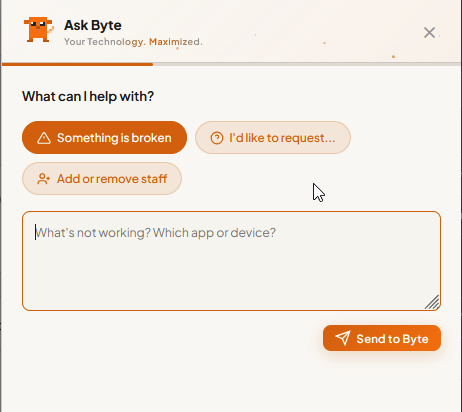
- Smart case creation — pick a starting point ("Something is broken," "I'd like to request…," or "Add or remove staff"), describe the issue once, and Byte picks the right category, writes a clean title, and suggests a priority
- Staff onboarding & offboarding — a guided flow for adding or removing team members, with less back-and-forth
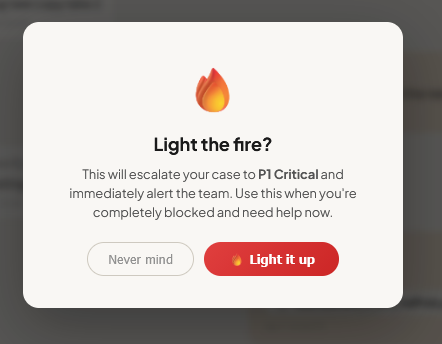
- One-click urgency — from routine to critical. When you're completely blocked, escalate with intention:
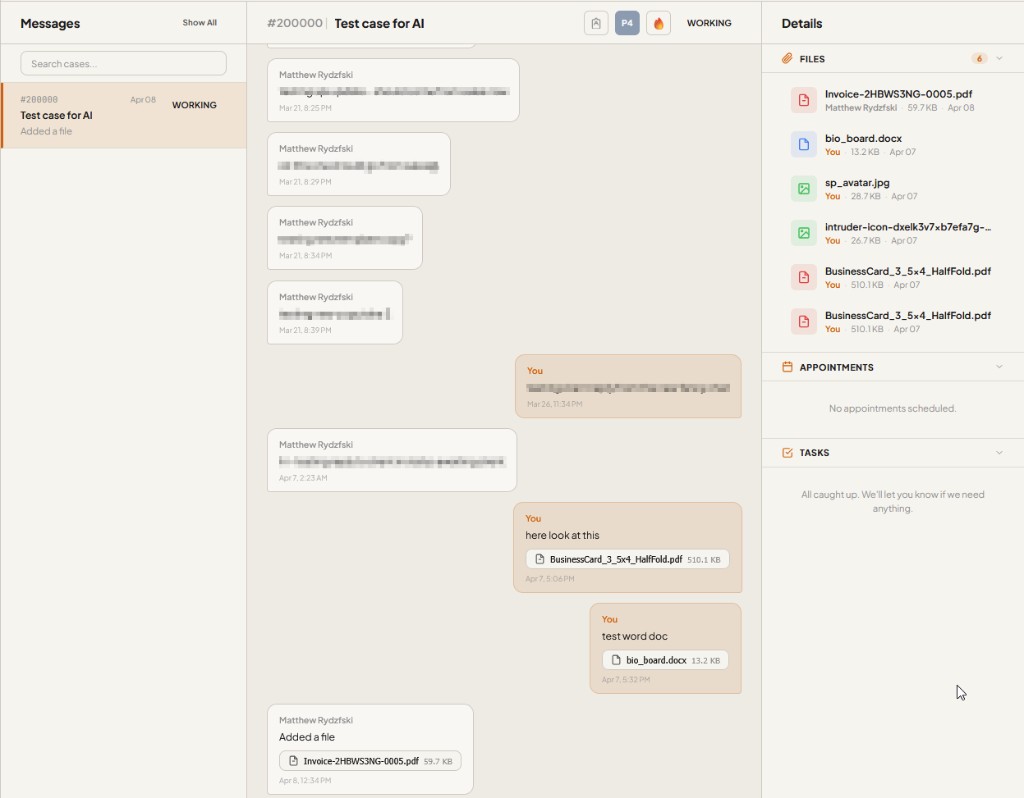
- Screenshots & context — drop files straight into the conversation so our team has what they need the moment the case lands. Every attachment stays with the case:
Invoices, spend, and your environment — in one place
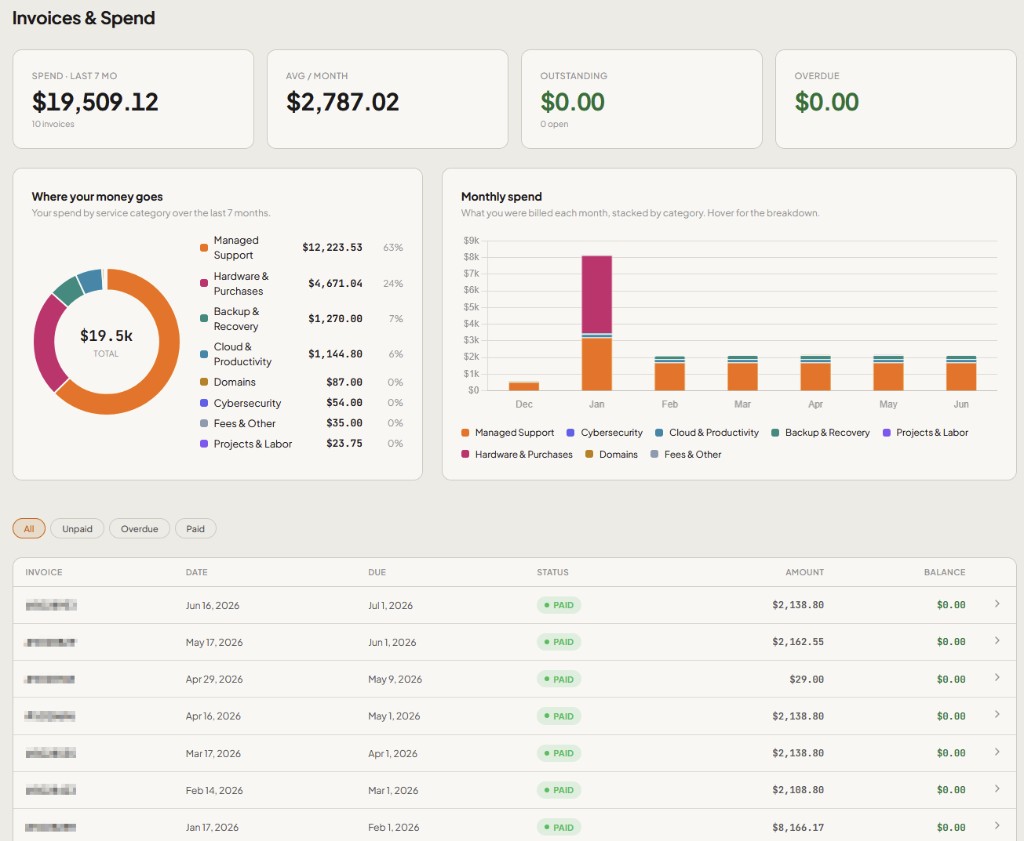
Beyond support tickets, the new portal brings billing and device visibility together so you can answer questions without waiting on us.
Invoices & Spend — see where your money goes, track monthly spend by category, and filter paid, unpaid, or overdue invoices:
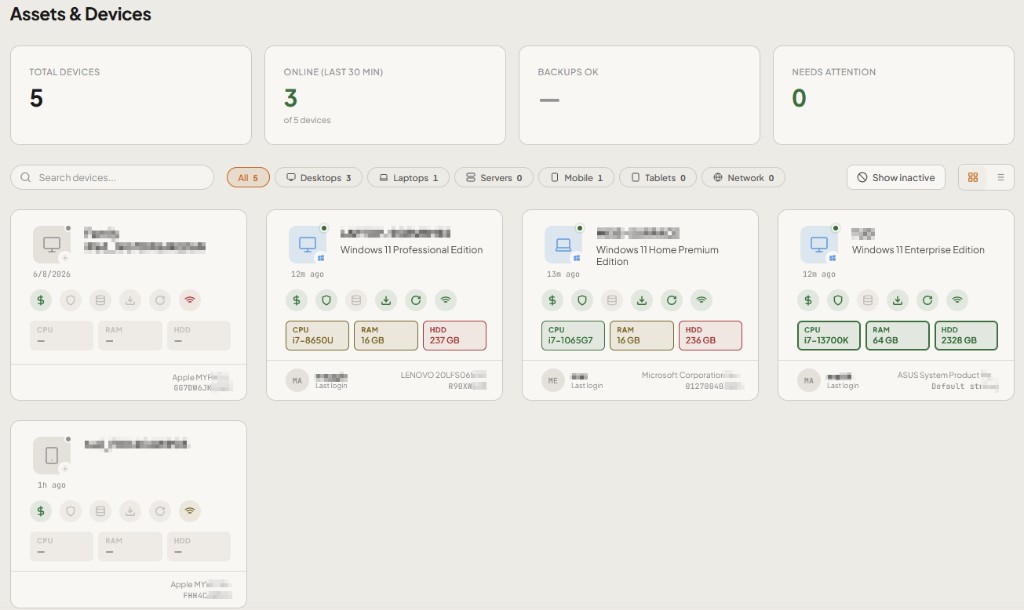
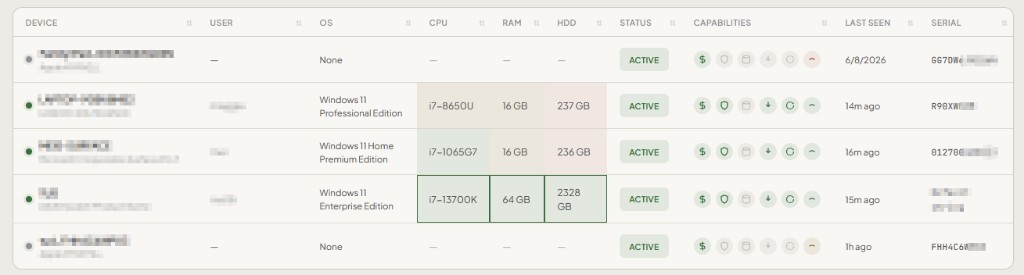
Assets & Devices — view every workstation, laptop, and mobile device in your environment. Check online status, specs, backup health, and last-seen timestamps — in a grid or list view:
What's coming after launch
Launch is the starting line. New features, tools, and deeper integrations will roll out every week — richer reporting, deeper Microsoft 365 visibility, proactive insights from Byte, and more ways to self-serve the things you shouldn't have to wait on.
No action needed right now
We'll share preview details and access information as we get closer to launch. Until then, keep using the client portal the way you always have — open a ticket and we're on it.
— The PremierePC Team